
Rocky Mount People Directory Map
Rocky Mount people directories are not one master list. Each directory was made for a specific purpose. The city directory identifies public staff and departments. School systems publish staff rosters. Tax systems arrange owners by parcel, while deed indexes arrange grantors and grantees by recorded instrument. Older city directories and newspapers preserve people whom current web tools no longer list.
The first choice is therefore about the role or time period tied to the name. A city employee belongs in the municipal staff directory. A teacher may appear in one of two school systems. A former resident is more likely to surface in a dated city edition, telephone book, yearbook, or newspaper than in a current agency roster.
| Directory | People or Names Listed | Keeper | Access Channel |
|---|---|---|---|
| City staff directory | Employees and officials by department | City of Rocky Mount | Free web browse and search |
| Public school directories | Teachers, administrators, and district staff | Nash County and Edgecombe County schools | Web cards or page search |
| State employee directory | North Carolina agency employees | State of North Carolina | Free name and agency search |
| Deed and property indexes | Grantors, grantees, and parcel owners | Nash and Edgecombe counties | Online systems, index books, and counters |
| Business and license directories | Entities, agents, officers, and licensed professionals | Secretary of State and licensing boards | Free public indexes |
| Historic city directories | Residents, spouses, occupations, firms, and addresses | Braswell Memorial Library and DigitalNC | Library and digitized editions |
| Newspaper and cemetery records | Decedents, survivors, civic members, and interments | State Archives, library, and City Clerk | Microfilm, local-history desk, or direct request |
Current lists answer current work or ownership questions. Historical lists answer who lived, worked, studied, or took part in civic life at a stated time. Keep that date attached to every result. A directory entry is evidence from one edition, not a promise that the person stayed at the same place.
Who Rocky Mount Staff Directory Lists
The official Rocky Mount staff directory can be searched by an optional term or browsed through department and category links. Its categories include the City Clerk, City Manager, Development Services, Finance, Community Development, Police, Parks and Recreation, Cemeteries, Public Works, and utilities. A result may lead to an individual entry or a department page. The public interface is visible in the city’s official directory:
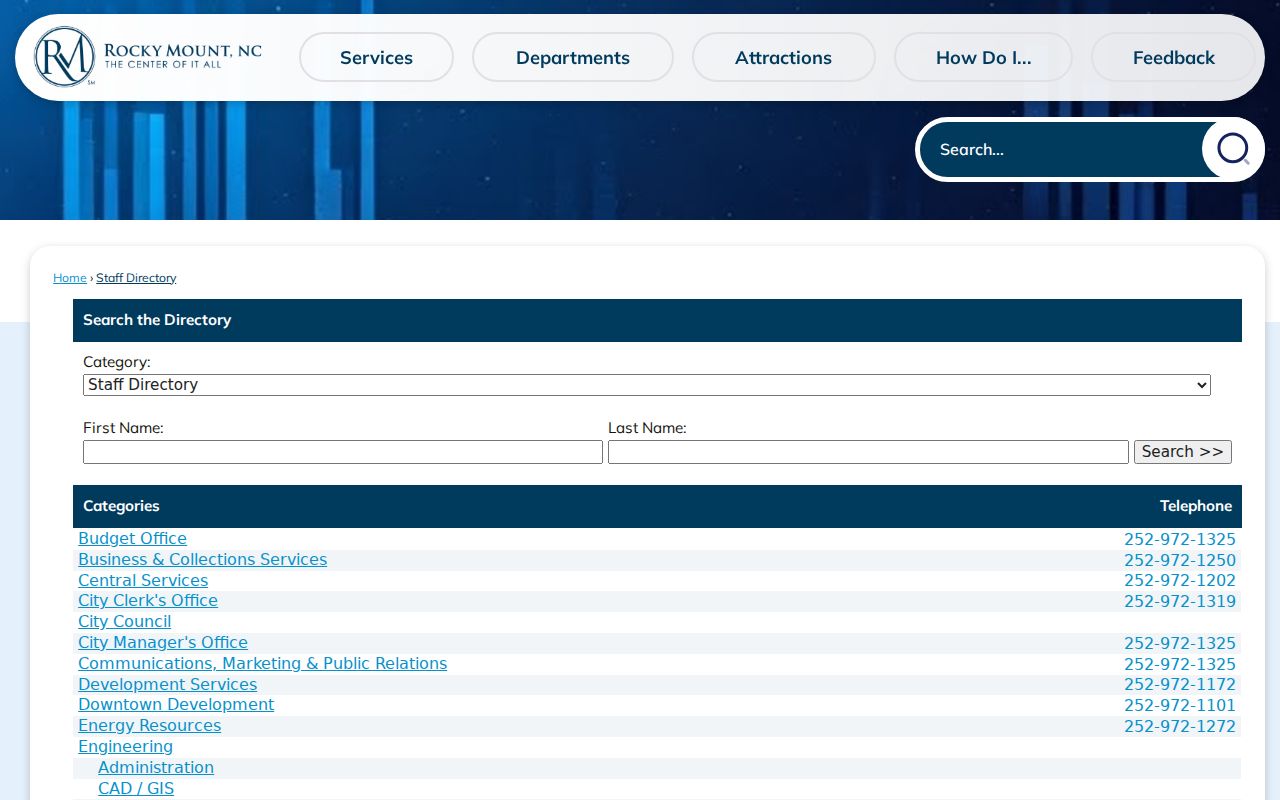
The image shows why both search and department browsing matter. A partial name may work in the search box, while a department browse can reveal the right office even when a direct phone or email is blank.
| Directory Control | Use | Required | Rocky Mount Notes |
|---|---|---|---|
| Search term | Name or directory text | No | Free text; results use JavaScript |
| Category links | Browse by city function | No | Includes clerk, police, utilities, cemeteries, and more |
| Department entry | Open a staff group | No | May show several employees and shared contact details |
| Individual entry | Open a person record | No | Published fields vary by employee |
A Rocky Mount directory entry can include the following fields:
- employee or official name;
- staff title and department;
- linked work email;
- direct or additional phone number;
- physical office address; and
- a link to the department page.
When an individual is absent, call the department’s main number. The City Clerk is the next channel for board rosters, council records, cemetery records, and older municipal lists. That office can also identify the custodian of an existing staff record. A blank contact cell means only that the city did not publish that field.
Note: A blank city directory field does not prove that an employee lacks a work contact; use the department phone fallback.
School Directories Across Rocky Mount
Education directories also split across the county line. The Nash County Public Schools staff directory is a paginated roster rather than a special query form. Its cards can show a photo, full name, title, department, and district email. Readers should not mistake the district’s broad site search for a staff-only filter.
Edgecombe County Public Schools offers one optional people-search field. The client-side search covers name, position, and email, with controls to search or clear the text. Some entries provide a name and profile link while leaving list-level contact fields empty. For statewide education staff, the N.C. Department of Public Instruction directory adds filters for office, section, name, and status.
The broader North Carolina employee directory accepts first or middle name, last name, and an optional agency. It draws mainly from the state’s payroll and timekeeping system. Personal-domain state email accounts are not published. These are work directories, so a school or agency listing should not be read as a home-address record.
Rocky Mount Property Owner Directories
A tax roll works like an owner directory. Nash County tools allow owner, address, parcel ID, PIN, tax bill, and map searches, with the Nash GIS office as a map and data channel. Edgecombe’s public access and GIS system accept an owner name, parcel PIN, street address, deed reference, and other parcel filters. The result can tie an owner to a parcel identifier, assessed values, legal description, acreage, and a deed book and page.
Rocky Mount addresses must be assigned to the correct county before this directory route begins. A postal city name does not settle jurisdiction, and a person can own land in one county while living in the other. GIS is the sound first check. If the online Nash tax search is unavailable, use its separate municipal search or contact the Nash Tax Office. Edgecombe’s map can export selected public data, but it is not a legal survey.
Property fields answer different questions. A situs address is the physical parcel. The mailing address is where tax notices go. It may point elsewhere and does not prove where the owner lives. The recorded deed supplies the more durable ownership trail. Full access-law and copy-request details belong with the Rocky Mount public records system.
Note: Always preserve the tax year and deed date because a “current owner” field may lag a newly recorded transfer.
Rocky Mount Business Name Directories
The N.C. Secretary of State business search is the main directory for entities, registered agents, and officers. Search routes include an organization name and person or agent names. A result may show the legal name, Secretary of State ID, status, creation date and jurisdiction, registered office, principal office, officials, annual reports, and filed document images.
An operating name may differ from the legal entity name. The statewide assumed-name index covers filings from December 1, 2017 onward and can be filtered for Nash and Edgecombe. Earlier assumed names must be checked with the relevant county Register of Deeds. For professions, use the board that issues the credential. North Carolina has separate public lookups for physicians and physician assistants, nurses, lawyers, general contractors, real estate brokers, and other licensed fields rather than one complete professional directory.
Search prior entity names and both counties when the first attempt fails. An agent address, principal office, license contact, and parcel address may all be valid yet different. Match the person by role, middle name, filing date, and other records instead of merging namesakes.
Historical Rocky Mount Directory Years
Official preservation research verifies Rocky Mount city directories from 1908 through 1965 at Braswell Memorial Library and UNC’s Wilson Library. Holdings are sporadic through 1960 and nearly annual after that point. The 1930 edition is the first verified local directory with street-address listings. Confirm the exact physical run with the local-history desk before planning a visit.
The digitized 1908 and 1909 Rocky Mount directory shows the form of an early name and business list:
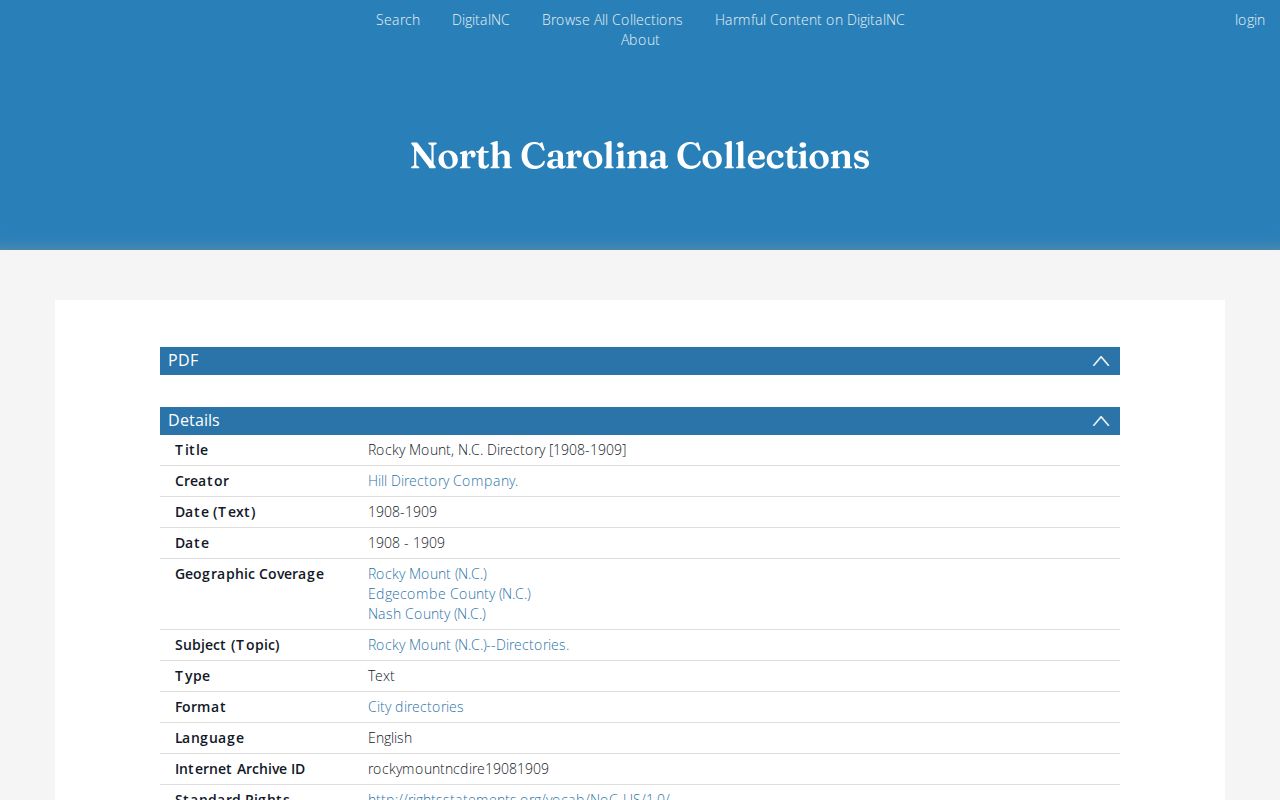
That digitized edition provides direct access when travel is not practical. DigitalNC also carries Rocky Mount editions for 1920, 1930, and 1936, while the library remains the fallback for physical holdings and help with editions not online.
| Directory Era | Verified Rocky Mount Coverage | What It Can Show | Best Access |
|---|---|---|---|
| Early city editions | 1908 to 1909 and 1920 examples online | Residents and businesses arranged by name | DigitalNC or library |
| Address era | 1930 is first verified street-listing year | Resident, spouse, work, home marker, street address | Searchable PDF and library |
| Later city run | Through 1965, with gaps before 1960 | Changing households, firms, occupations, and addresses | Braswell or UNC Wilson Library |
| Telephone editions | 1936, 1937, 1942, and 1944 verified online | Subscriber name, number, and address when printed | DigitalNC |
- Alphabetical directory
- A surname-first list that may add a spouse, occupation, employer, and home address.
- Reverse directory
- An address-first list used to identify the occupant printed for a street location in that edition.
- Publication lag
- The gap between data collection and issue date, which can make an entry older than the cover year suggests.
Note: Confirm Braswell’s exact shelf run before visiting because verified Rocky Mount holdings contain gaps before the nearly annual later editions.
Classmates in Rocky Mount Collections
Yearbooks and civic rosters are people directories with a human purpose. DigitalNC material from Braswell includes Rocky Mount Senior High Hi-Noc-Ar yearbooks for 1966 and 1967 plus a larger run, Virginia Dare Book Club membership and officer booklets from 1934 through 1969, commencement programs, school newspapers, and other regional yearbooks. These sources can reconnect a classmate’s name with a school, activity, portrait, or graduation year.
School-age names also turn up in graduation lists and club news in local papers. Search formal names, nicknames, initials, and later surnames when known. A yearbook date shows school affiliation at one point. Pair it with a later newspaper notice, city directory, or public record before treating two similar names as one person.
Rocky Mount’s Two Directory Trails
Geography changes the directory keeper. Rocky Mount spans Nash and Edgecombe counties, and neither county seat is in the city. The Tar River matters to local history, but it is not a safe stand-in for the modern boundary. Use parcel GIS when an address is known. Run both county name systems when it is not.
This split is especially important for deeds, parcels, assumed business names, marriage records, and county school staff. Nash Register of Deeds reports real-estate records from 1777. Its modern Quick Name and Advanced Search begin with deed book 874 in 1970, while earlier books use a separate historical index mode. Edgecombe has its own land-record name system, tax directory, and archival record groups. One failed county search does not clear the other.
Key distinction: A Rocky Mount mailing address can fall outside city limits or on either county side. Confirm county and jurisdiction before choosing a directory.
Note: Search both county systems when the address county is unknown, then preserve the source and date with each result.
Rocky Mount Newspaper Name Directories
Newspapers act as dated directories of obituaries, survivors, marriage notices, club members, business addresses, and public notices. The State Archives newspaper holdings guide documents Rocky Mount titles from nineteenth-century weeklies through recent Telegram reels. Its holdings include the Rocky Mount Mail, Herald, Evening Telegram, and other short runs.
The official newspaper holdings interface appears here:
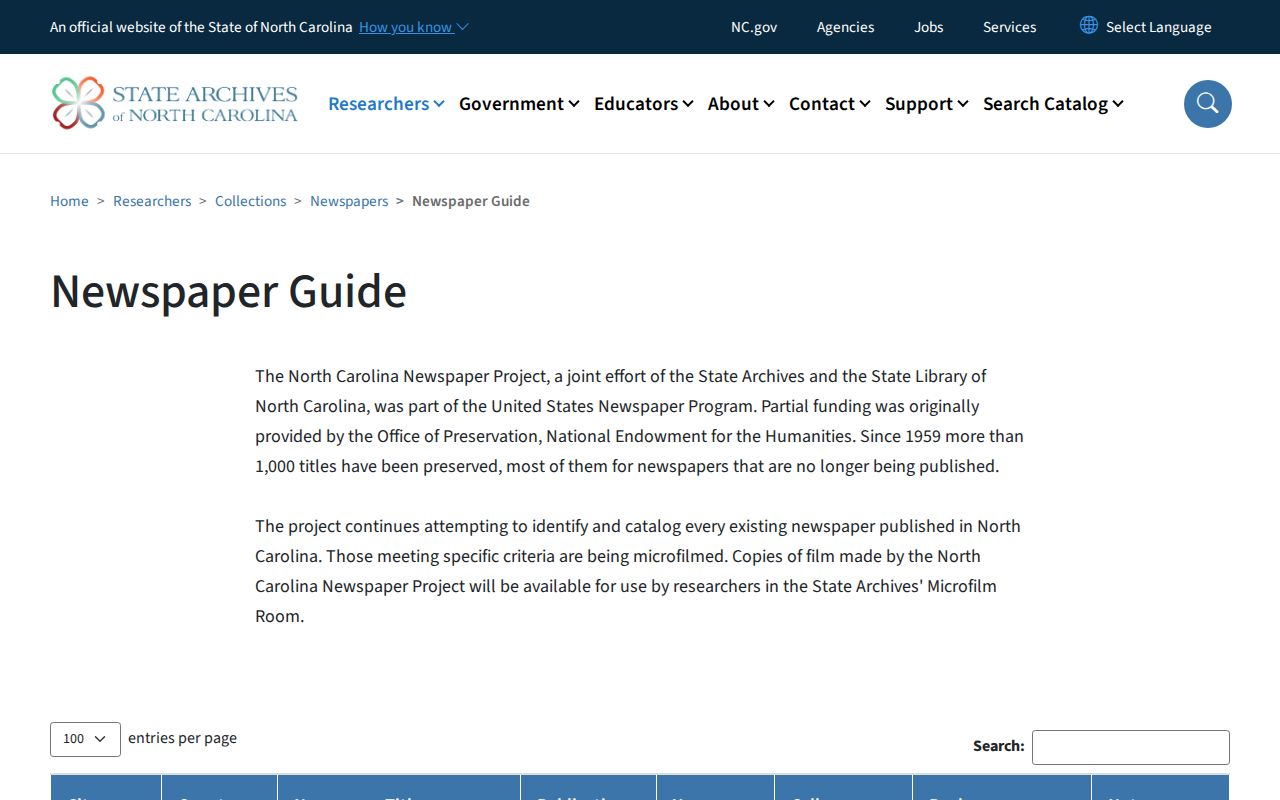
The capture points to a key offline channel. When a title or issue is not digitized, use the Archives guide to identify microfilm, then work with the Archives or Braswell local-history desk rather than assuming the name is absent.
Cemetery names require a different fallback. Rocky Mount owns three cemeteries and preserves burial records, but no official online interment-name directory was found. Call Cemeteries at 252-972-1158 or ask the City Clerk about burial and cemetery deed records. An obituary can add relatives and an event date; the city record can confirm the municipal burial trail.
Reading Rocky Mount Directory Evidence
People directories can conflict without either one being false. A city directory residence, tax mailing address, parcel situs, registered office, school work contact, and cemetery plot all describe different ties. Dates differ too. Keep the publication year, tax year, filing date, or update status attached to each item.
Start with exact first and last names. Then test a middle initial, suffix, nickname, formal given name, and prior surname. Older printed directories may use initials or abbreviations. Telephone books omit non-subscribers. Staff lists omit fields an agency has not chosen to publish. Search failures may also reflect JavaScript, an outage, a county mismatch, an old index book, or normal publication lag.
Use directory information only for lawful personal research, family history, civic transparency, or reconnecting. Never use an address or roster to stalk, harass, threaten, or harm anyone. A shared name alone is weak evidence. Add a spouse, occupation, department, parcel reference, entity role, or dated event before deciding two entries identify the same person.
Note: Treat every directory entry as dated evidence and corroborate a likely identity with a second independent source.